Connect Copilot
Add Solved Tax & Legal in Copilot, sign in and ask your first question.
Before you start
You need:
A Solved account with at least one area of law. New to Solved? Start a free trial: 14 days free, cancel anytime. If your team already uses Solved, sign in and choose your areas.
A work account with a Copilot licence.
Connect Copilot
Open Solved in Copilot
Select … › Settings › Sources, find Solved Tax & Legal and select Connect.
Sign in to Solved
Sign in with your Solved account.
Allow the connection
Solved shows which account Copilot will use. If it isn’t the one you want, select Use a different account first. Then select Connect. Copilot opens again and shows Solved Tax & Legal as connected.
Try your first question
Start a new conversation and paste this question.
Use Solved to find the HMRC manual section about group relief. Open the section and give me its title, reference and source link.
Copilot searches and reads Solved without asking first.
Check it worked
- You can see that Copilot used Solved while answering.
- The answer includes a link to the source it read.
- The link opens that section in Solved.
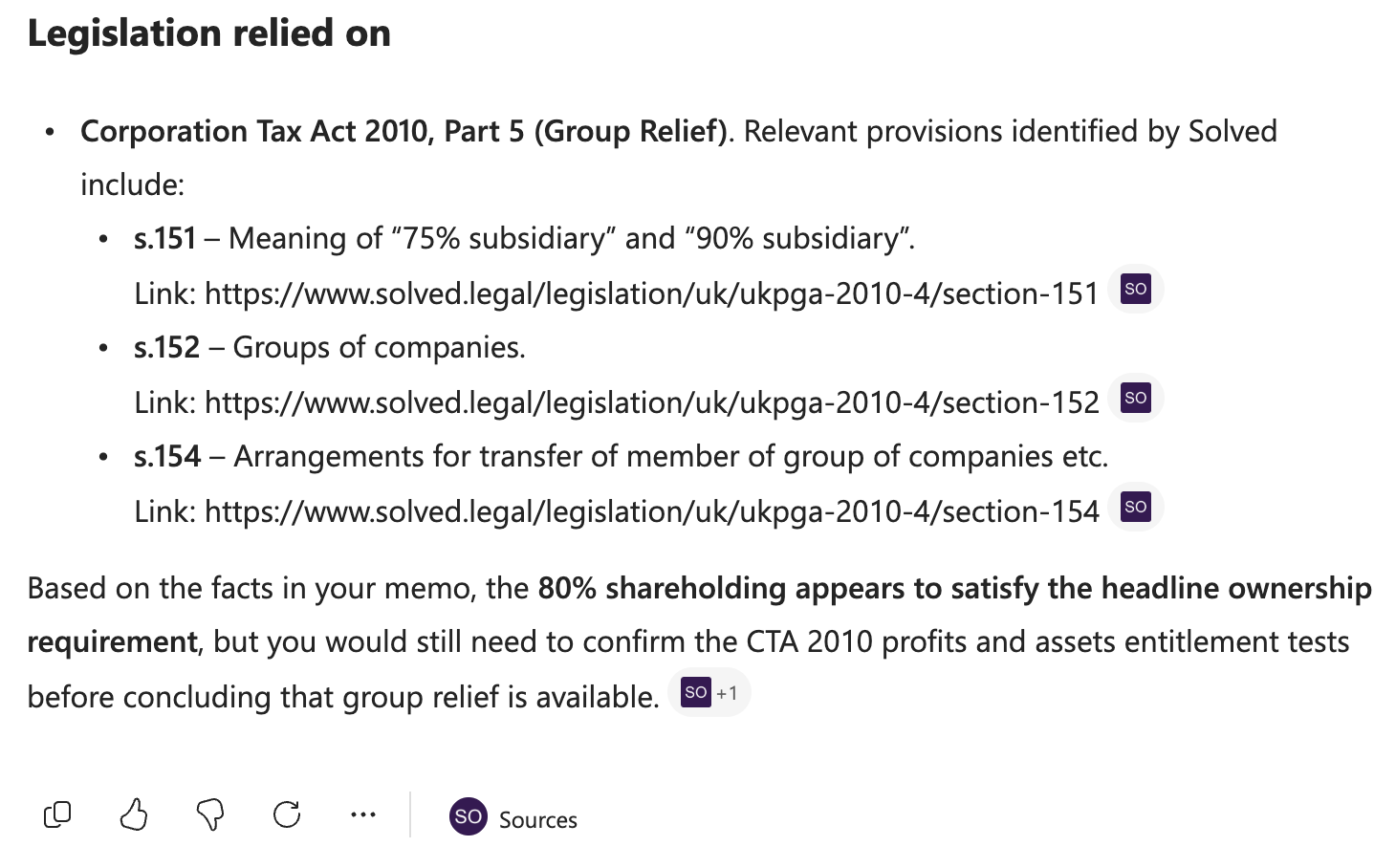
If the answer has no source link, Copilot probably answered from its own knowledge. Check that Solved is connected, then ask again and mention Solved in your question.
For admins
Solved Tax & Legal is listed in Copilot, so there is nothing to register or configure. A Microsoft 365 admin turns Solved on for your organisation once.
Open Solved in the admin centre
Open Solved Tax & Legal in the Microsoft 365 admin centre. You need the Global Administrator or AI Administrator role.
https:// admin.cloud.microsoft/ #/ agents/ tools/ all/ :/ details/ Plugin/ P_a7b4b2a1-85ac-185e-7862-0f5f0e7bcab3/ overview Turn it on
Allow Solved Tax & Legal, and choose who can use it under Staged rollout: everyone, or only the people or groups who use Solved. It can take up to 30 minutes to appear in Copilot.
If your organisation blocks apps from external publishers, Solved stays hidden until you allow it here. You can check under Agents › Settings › Agent and plugin access.
Tell your team
Everyone then follows Connect Copilot above and signs in with their own Solved account.
Having trouble?
Solved hasn’t been turned on for your organisation yet. Send your admin the steps for admins.
Go to … › Settings › Sources and check Solved Tax & Legal is connected. Then ask again and mention Solved in your question.
Go to … › Settings › Sources and turn off Solved Tax & Legal.
If Solved shows No agent access yet after you sign in, the account you signed in with has no areas of law yet.
Select Continue on Solved to start a free trial, or to choose your areas if your team already uses Solved, then connect again. If you meant to use another account, select Sign in with a different account.
Copilot’s menus can change. See Microsoft’s guide to federated connectors for the latest steps.